
The Book of Dragons is like your dragon encyclopedia, showing information about every dragon available in Dragons: Rise of Berk. It also serves as your collection book, showing all of the dragons you have collected so far. You can view the Book of Dragons by tapping the book button titled "Dragons" on the bottom menu.
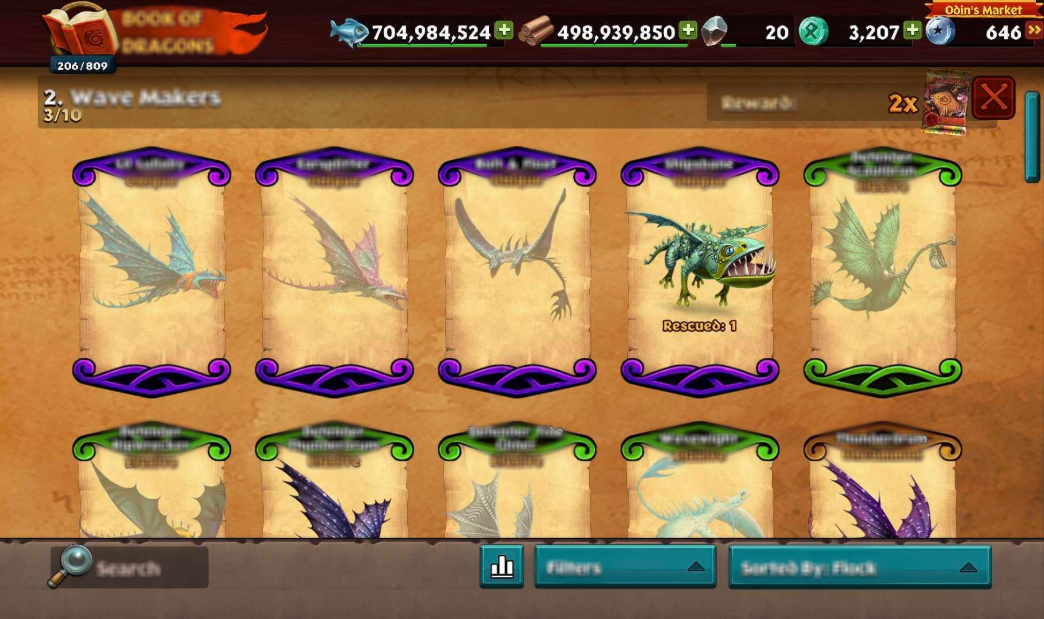
In the Book of Dragons menu, the dragons you have not collected yet will appear faded, while the ones you have already collected will appear in full. If any of these are currently on your Berk/Hangar, a "Rescued" will be shown with the amount.
As you scroll down this menu, you can also see the families each dragon is grouped into. There are several dragon families, each with its own set of dragons. Once all the dragons in a family have been collected, you can claim a reward! This is claimable on the title banner of the family.
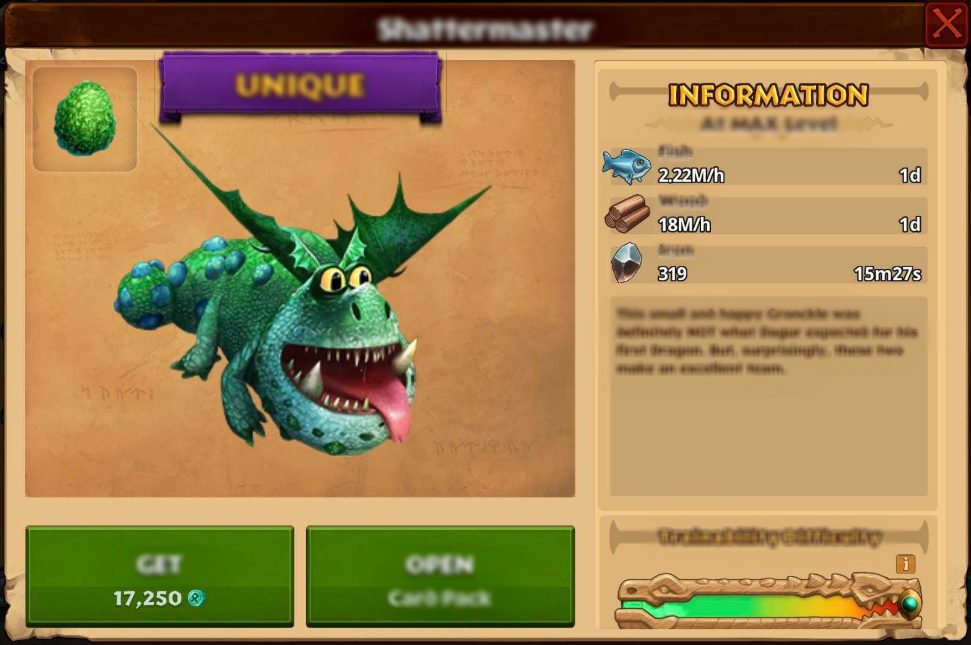
Tapping on any dragon card in the menu will present you with information about the dragon like resource gathering stats (at MAX level), description, and their trainability difficulty. In this same window, you will also have the option to buy certain dragons with Runes as well as be redirected to anywhere else you can obtain them (Search, Journey, Season Hub, etc).
Our list of dragons continues to grow with every update, so be sure to make use of the Filters and Sorting at the bottom of the Book of Dragons to make it easier to navigate and find what you are looking for!