
Didn't find the answers you were looking for here in our Help Center? Need assistance with your account, or have questions about your purchase?
You may reach out to us using the in-game Support button. To access this, go to your mailbox and select the "Settings" tab. Under Settings, go to "Help" and select the "Support" option.
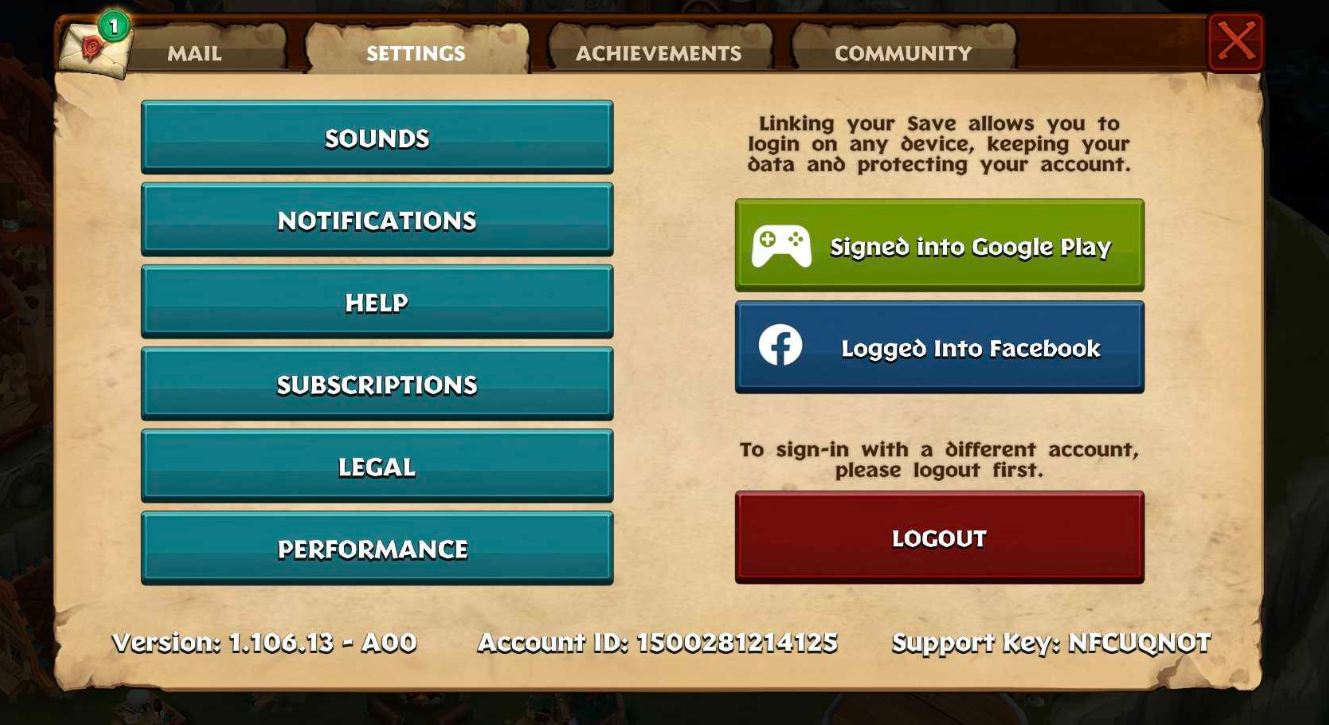
(Note that the language will be whatever you have it set to)
We strive to address your query as fast as possible, so you may expect an answer within 48 hours. However, keep in mind that we may experience delays in the case of game updates and unforeseen circumstances. Once you've received a response from us, a notification will appear in your in-game mailbox. To view the response, tap the button beside the message to open the Help Center. Here you will see a number beside the "Contact Us" or Message Icon. Tap this to open your current conversation with support.
You may also reach out to us by sending us an email at [email protected] or by going to the bottom of this support Help Center and clicking "Contact Us".