In Brawl, the icons above a dragon's health bar are status effects applied to said dragon. These effects can be buffs or debuffs, providing a boost to your dragon or hindering them in some way, respectively. These effects are applied through abilities, whether that be from another dragon or self-applied. Multiple status effects can be applied at once and will all be shown above the dragon's health bar.
Ever wondered what a certain status effect does? The X-Ray feature is there to help!
- During a Brawl battle, tap the magnifying glass Toothless button on the left hand side of the screen to pull up the X-Ray Battle Info window.
- Select a dragon currently affected by a status effect.
- Under Status Effects, tap any icon to reveal detailed information about the effect!
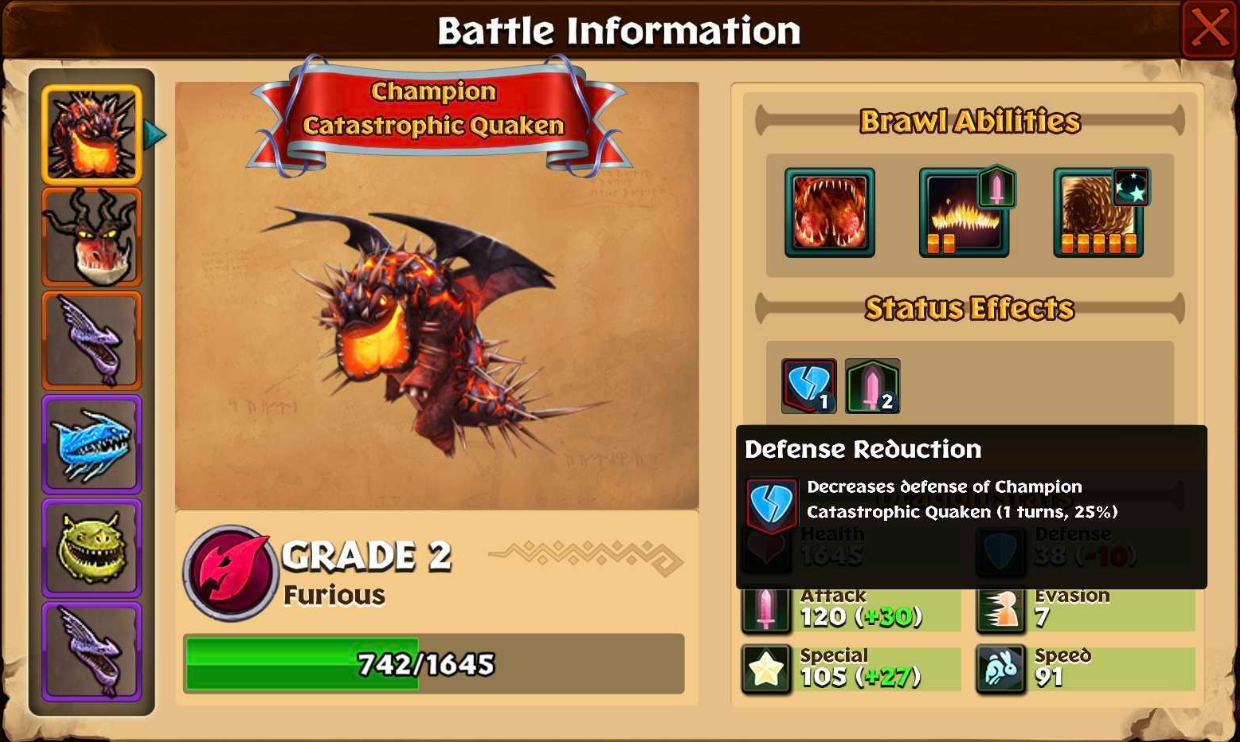
Status effects can easily change the course of battle, so be sure to check what status effects are applied by specific abilities by tapping and holding them!